Asphalt Roads
Asphalt roads are an advanced road type relying on oil and GregTech production lines.
After preparing the base course, you pour asphalt mixture over it. It briefly becomes hot asphalt before solidifying into a durable asphalt road.
A properly built asphalt road gives a 40% movement speed bonus.
Asphalt Road
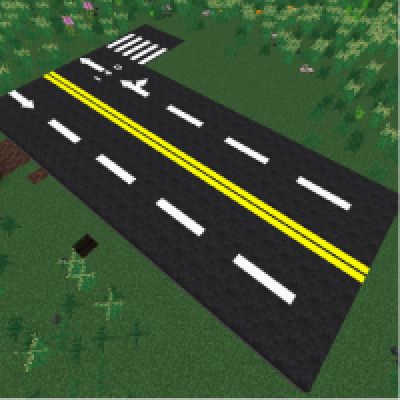
Unlike concrete roads, asphalt does not require control joints and will not crack from wet material or get damaged by walking on uncured pavement.
Be careful when working with Hot Asphalt—touching it will burn you. You'd better wear heat-protective gear. Also, breaking asphalt returns Asphalt Rubble instead of intact road blocks.
Tar Chunk
The raw material for asphalt roads is oil. Solidify Oil, Raw Oil, Heavy Oil, etc. in a Fluid Solidifier to obtain corresponding Tar blocks, then process them in an Extractor to get Tar Chunk.
Asphalt Mixture
In a Mixer, combine Tar Chunks and Stone Dust to make Asphalt Binder. Adding Gilsonite Dust increases the binder yield.
Then mix the binder with sand, stone dust, and Crushed Base to create a fluid Asphalt Mixture.
Store it in a fluid container for easy transport and pouring.
Pouring Asphalt
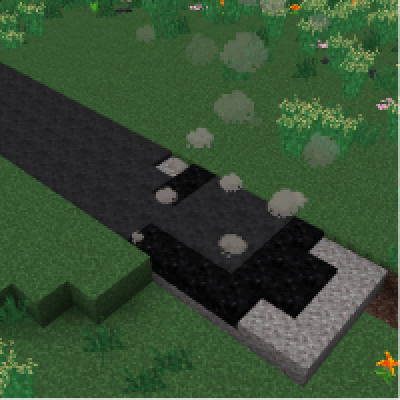
Right-click a placed Base Course Block with a bucket of Asphalt Mixture to pour it. The mixture spreads to adjacent base course blocks, converting up to 20 adjacent base course blocks into Hot Asphalt. After a short time, hot asphalt cools into Asphalt Road.
Sneak+right-click on a Base Course Block with the mixture to patch a small area, consuming less fluid.
Hot Asphalt
Hot Asphalt is very hot; touching it will cause ongoing burn damage. Wear heat-protective gear when working with it.
Once it cools to Asphalt Road, the surface is no longer hot.
Asphalt Road Stairs
Asphalt Road Slab
Asphalt Roads can be turned into Asphalt Road Slabs and Asphalt Road Stairs using a Mattock or a stonecutter.
Road Marking Stencils
The most distinctive customization feature of asphalt roads is road marking: spray colours and patterns on the finished surface to plan lanes, intersections, and warning lines.
Various stencils can be crafted at an Artisan Table.
Spray Can (White)
Spray Can (Yellow)
Hold a Spray Can in one hand and either nothing or a Road Marking Stencil in the other, then use it on an asphalt road or slab to paint.
The color is determined by the spray can, and the orientation by the player's direction.
Spraying again on an existing marking will replace it and consume spray can durability, unless the same color, orientation, and pattern are used.
Removing Markings
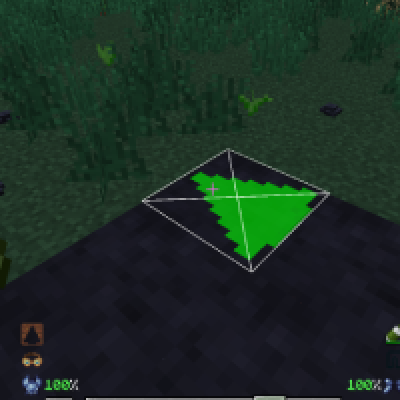
To redesign the road, use a Spray Can (Solvent) on an asphalt road or slab to erase the marking at that location.
Breaking and Recycling
Breaking asphalt roads, hot asphalt, slabs, or stairs drops Asphalt Rubble instead of the intact block. Processing the rubble in an Extractor recovers a small amount of asphalt mixture.
Comments